

How to use overleyz
Make a post, a reel or a note for someone in about two minutes. It’s free, there’s nothing to sign up for, and everything happens in your browser — nothing you make is uploaded.
-
Say how you feel
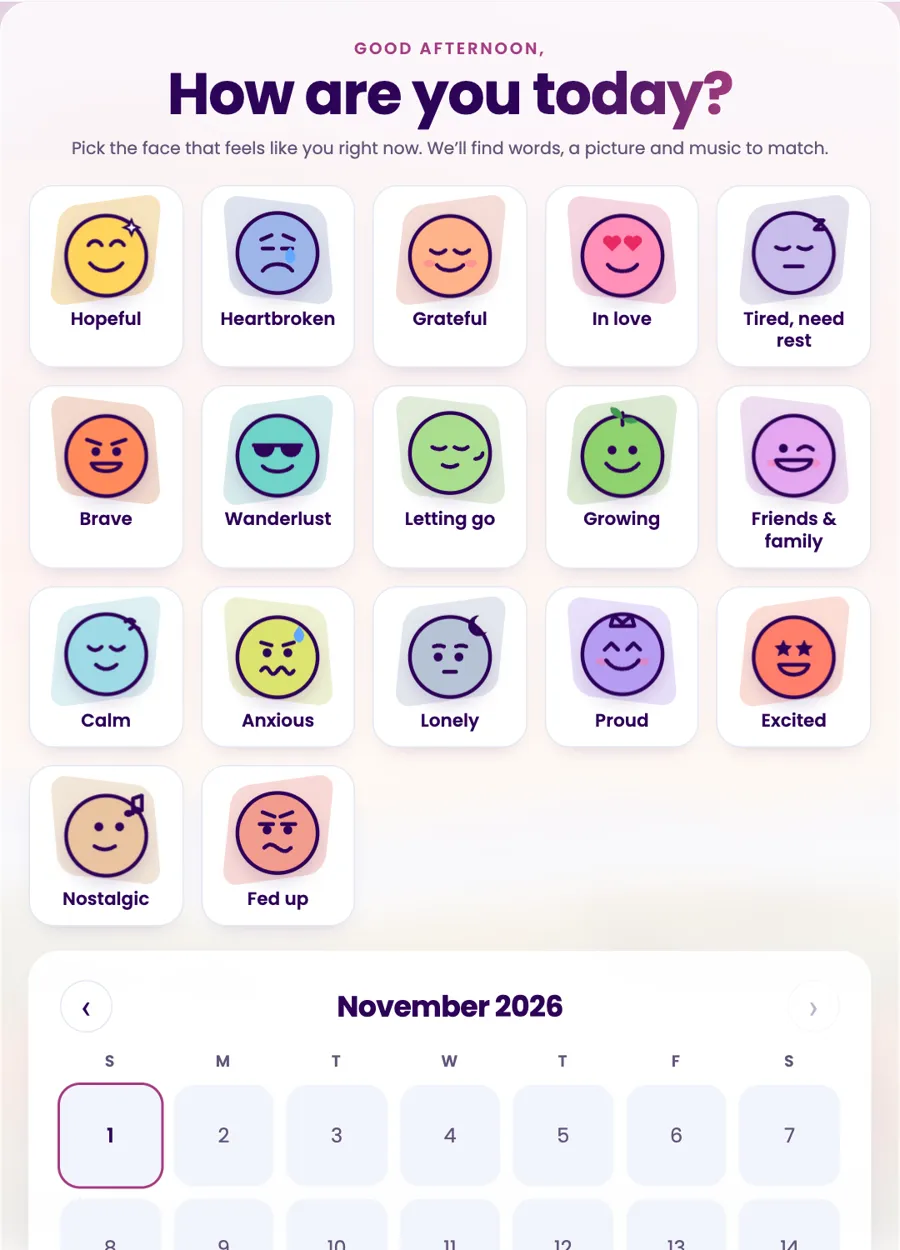
The first time you visit each day, overleyz asks “How are you today?” Tap the face that fits. It finds words, a picture and music to match, and the painted sky behind the page changes with your feeling.
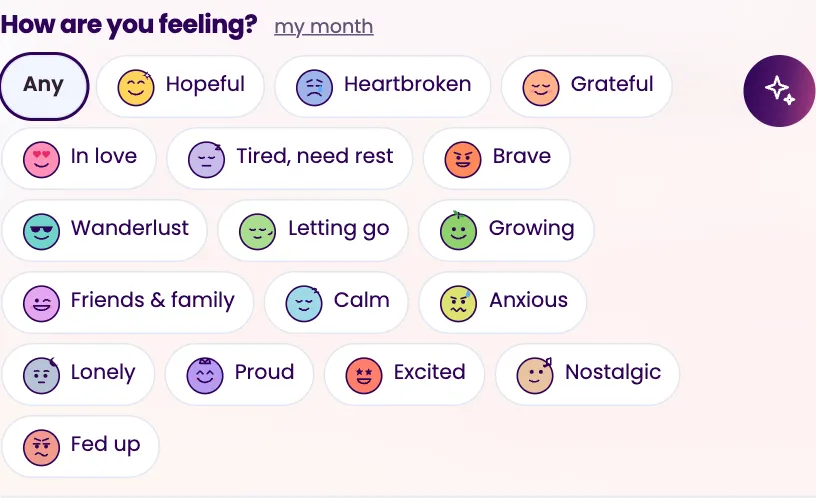
Not in the mood to choose? Tap “Just let me make something”. You can change your feeling any time in the “How are you feeling?” row, and the little sparkle button is Surprise me.
-
Your feeling decides what you’re offered
Pick “Any” to see everything, or a feeling to see the notes, pictures, stickers and songs that suit it first. Tap my month to see the feelings you’ve checked in, kept only on your device.
-
Choose a shape and a picture
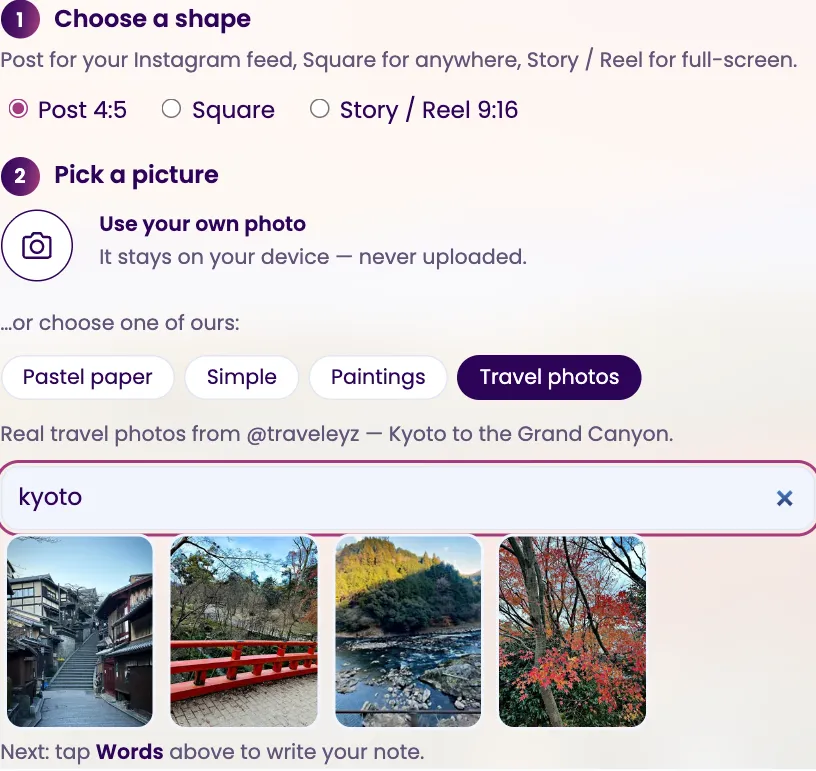
Choose a Post (4:5, for the Instagram feed), a Square, or a Story / Reel (9:16, full screen).
Then pick a picture: soft pastel paper, little watercolours, painted-style scenes, or real travel photos. Type in the search box to find one — a place, a feeling, a theme.
Or use your own photo with the camera button. It stays on your device and is never uploaded.
-
Write your words
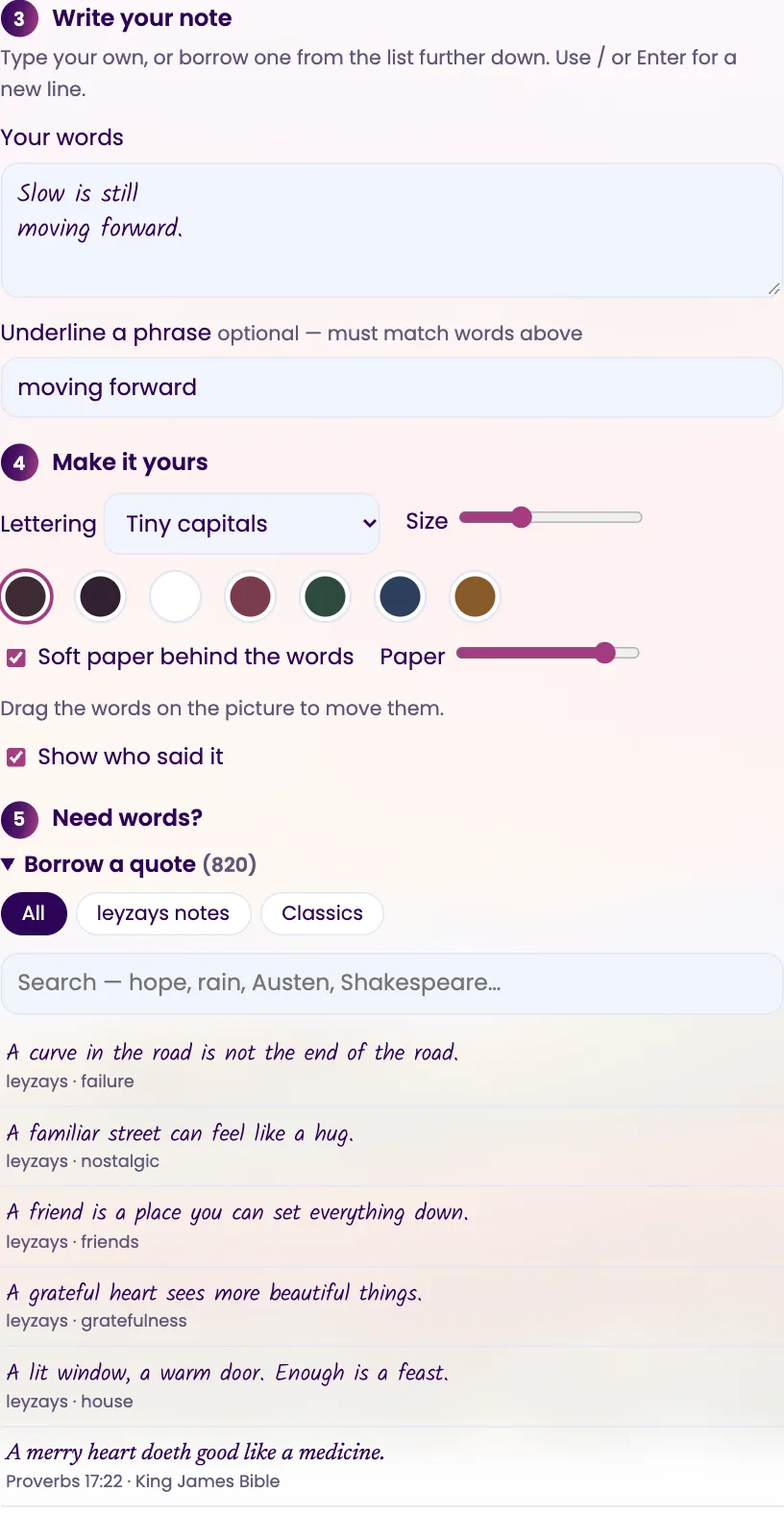
Open the Words tab and type your own note, or borrow one: Ley’s notes, or classic lines from books and poems in the public domain (with the author shown underneath).
Pick a lettering style, the size and an ink colour, and underline a phrase if you like. Drag the words on the picture to move them.
-
Add a few stickers
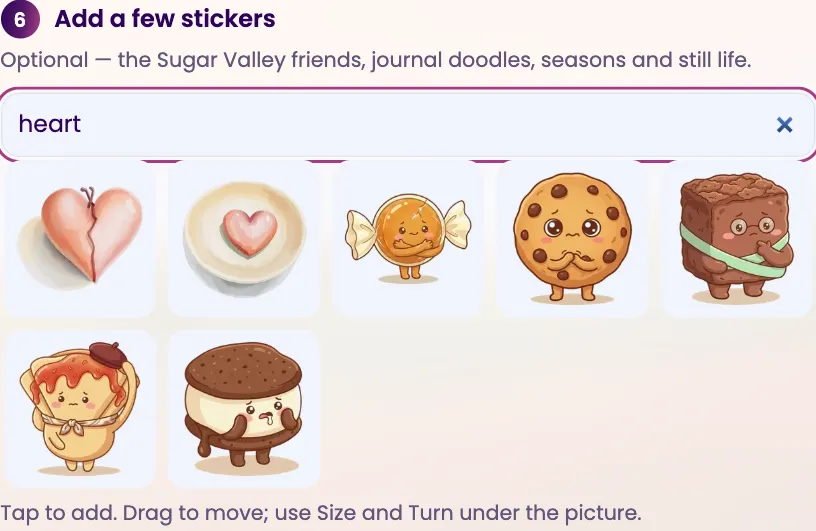
Open the Stickers tab and search — “heart”, “rain”, “cookie”, a month, anything. Tap one to add it.
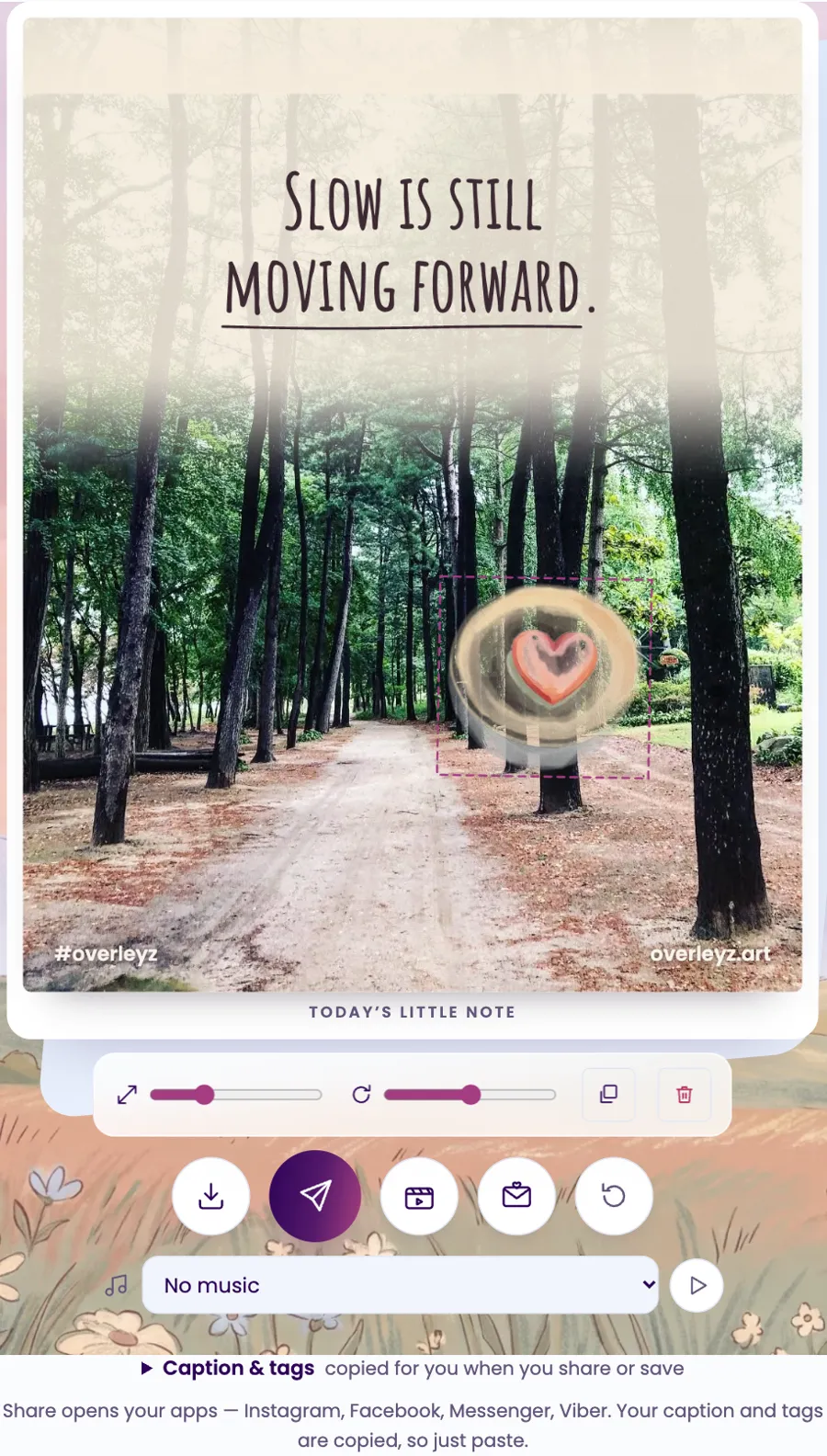
Drag it where you want it. Use the Size and Turn sliders under the picture, bring it to the front, or remove it with the bin.
-
Save it, share it, or turn it into a reel
Under the picture: save it, share it (on a phone this opens Instagram, Facebook, Messenger or Viber), make an 8-second reel where your words appear line by line with music, or send it as a note — a link that opens like a letter for the person you’re sending it to.
Pick a song in the music row (the little play button lets you listen). A caption with tags is ready for you and is copied when you share or save — just paste it.
Made a mess? The round arrow at the end starts you over.
-
Soft, Blush or Loud
The switch at the top right changes the whole look of the site. Soft is the pastel studio, Blush is all pinks, and Loud goes dark with huge capital letters that shout.

Good to know
- Is it free?
- Yes, for personal sharing. Please keep the small mark on your picture.
- Where do my pictures and words go?
- Nowhere. Everything is made in your browser. Your last design is remembered on your device only, and your own photo is never kept.
- Can I send someone a note?
- Yes. Tap the envelope button and send the link. When they open it, your picture appears, then your words, like opening a letter. Anyone who has the link can open it, so send it only to the person it’s for.
- The words I typed are my own — who may use them?
- You may. Quotes borrowed from the lists keep their credit underneath, and classics come only from the public domain.